Privacy

How Factory handles your data, what controls you have over your information, and how group privacy settings work. The sections below adapt to your role — group managers will see additional guidance on configuring privacy for their communities.

Our approach to privacy

Factory is built on a simple principle: your data stays yours. We don't sell your information, we don't show you ads, and we don't mine your communications for profit. The platform exists to serve your group — not the other way around.

What information Factory collects

CategoryWhatWhy
Account basicsName, email addressRequired to create your account and deliver email
Profile informationJob title, company, bio, social links, skillsYou choose what to share — profiles are optional
Group activityMessages you send, groups you join, content you createRequired for the platform to function
Contact preferencesPhone, timezone, networking availabilityYou choose what to share — helps members connect

What we don't do

  • We don't sell or share your data with third parties for advertising
  • We don't read your private messages or group emails for marketing purposes
  • We don't track you across the web
  • We don't use your content to train AI models outside of features you explicitly use (like the group creation assistant)

Group privacy levels

Groups on Factory can set their own privacy level, which controls how much member information is visible within the group:

LevelWhat members see
OpenFull names and email addresses are visible to other members
Names OnlyNames are visible, email addresses are hidden
AnonymousMembers use aliases or pseudonyms — no real names or emails shown

The privacy level is set by the group manager. You can see the privacy level on the group's page before you join.

Group visibility

Separate from privacy, groups have a visibility setting that controls who can find and access the group:

VisibilityWho can see the group
PublicAnyone, including visitors who aren't logged in
InternalAny logged-in Factory user
PrivateOnly members of the group

Want to read more?

2 more sections available with a free account: Your Data Controls, Group Privacy Settings

Create a free account

Billing

Factory is free to start and scales with your needs. This guide covers what's included for free, how paid plans work, and how to manage your account. The sections below adapt to your account status — paid plan holders will see additional account management details.

Free to start

Factory is free to use with generous limits. Every account — even without a paid plan — can create up to 3 groups, invite up to 50 contacts, and send up to 50 emails per month. No credit card required, no trial period. The free tier is available forever.

Plan families

When you need more, Factory offers four plan families, each designed for different kinds of organizations:

FamilyBest for
ParticipationEntry-level — small groups just getting started
AdvocacyGrowing organizations with active outreach and engagement
FellowshipEstablished communities with larger membership bases
StewardshipLarge organizations managing multiple groups and high volumes

Tiers within each family

Each plan family has three tiers:

TierWhat it offers
LiteModerate limits — good for getting started with a paid plan
CoreHigher limits — for active, growing organizations
PlusUnlimited everything — groups, contacts, invitations, and emails

What changes with a paid plan

Paid plans increase your limits for:

  • Groups created — how many groups you can own
  • Contacts — total contacts and monthly additions
  • Invitations — total invitations and monthly sends
  • Emails — monthly email volume across all your groups

All core features — group email, member directories, calendars, link libraries, sharing tools — are available on every plan, including free.

Compare plans

Visit Plans for the full comparison with exact limits and pricing for each tier.

Want to read more?

2 more sections available with a free account: Your Plan, Account Management

Create a free account

Group Management

Everything you need to know about participating in and managing groups on Factory. Whether you're a member looking to get the most out of your group, or a manager configuring settings and growing your community — the sections below adapt to show you what's relevant.

Want to read more?

3 more sections available with a free account: Being a Member, Managing Your Group, Advanced Configuration

Create a free account

Getting Started

Welcome to Factory. This guide walks you through everything from creating your account to running your first group. The sections below adapt to your role — as you join groups and take on management responsibilities, more sections become visible.

What is Factory?

Factory is a platform for organizations, clubs, associations, and professional networks to communicate, collaborate, and grow together. It gives your group the tools that large organizations take for granted — mailing lists, member directories, shared calendars, and more — without the complexity or cost.

Who is Factory for?

  • Community organizations — nonprofits, volunteer groups, civic associations
  • Professional networks — alumni groups, industry circles, advisory boards
  • Clubs and interest groups — hobby groups, sports teams, book clubs
  • Small teams — project teams, client portals, event planning committees
  • Anyone who needs a shared space to organize people around a purpose

What can you do here?

FeatureWhat it does
GroupsCreate or join groups tailored to your type of organization — from clubs to advisory boards
Group emailEvery group gets a mailing list. Send to one address, everyone gets it. Works with any email client.
Member directorySearchable profiles so members can find and connect with each other
Calendar syncConnect your Google or Outlook calendar to keep group events in sync
Link libraryCommunity-curated collections of links with ratings, tags, and bookmarks
Sharing toolsQR codes, share pages, and referral links to grow your group

How much does it cost?

You can create up to 3 groups and invite up to 50 contacts for free — no credit card required. Paid plans start at Participation Lite and scale up through Advocacy, Fellowship, and Stewardship tiers. Each tier unlocks higher limits for groups, contacts, invitations, and emails. Visit Plans for details.

Creating an account

Sign up using your email address or log in with Google, LinkedIn, or Facebook. You'll need to verify your email before your first login. Once verified, you'll be guided through a short onboarding process to create your first group.

Want to read more?

3 more sections available with a free account: First Steps, Group Basics, Running Your Group

Create a free account

Content Creation

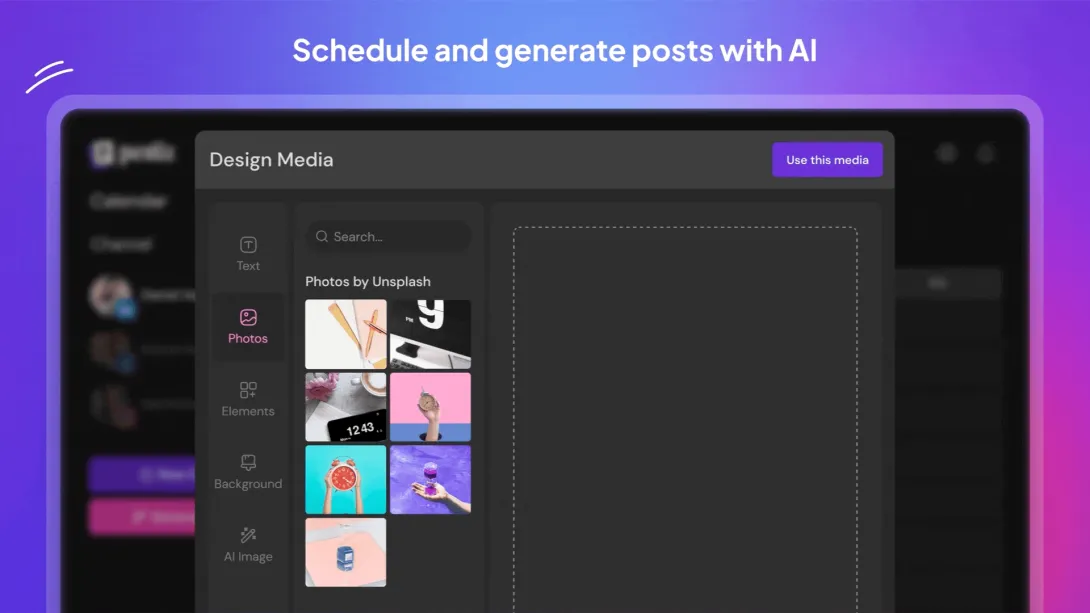
Content Creation — Postiz social media integration

Create visual content for Facebook and Instagram posts

Our built-in content creation tools help community leaders produce professional visual content for Facebook and Instagram without leaving the platform.

Features

  • Media Library — Upload and organize photos for use across posts
  • Image Editor — Crop, resize, and enhance images for each platform's requirements
  • Design Tools — Add text overlays, filters, and branding elements
  • Multi-platform Preview — See how content will appear on Facebook vs Instagram before publishing

Permissions Used

  • pages_manage_posts — Attach created media to Facebook Page posts
  • instagram_content_publish — Publish created visual content to Instagram

All content creation and publishing is user-initiated by authenticated group administrators. Media assets are stored securely within our platform and only transmitted to Facebook/Instagram when the user explicitly publishes.

← Back to Group

Social Media Analytics

Social Media Analytics — Postiz social media integration

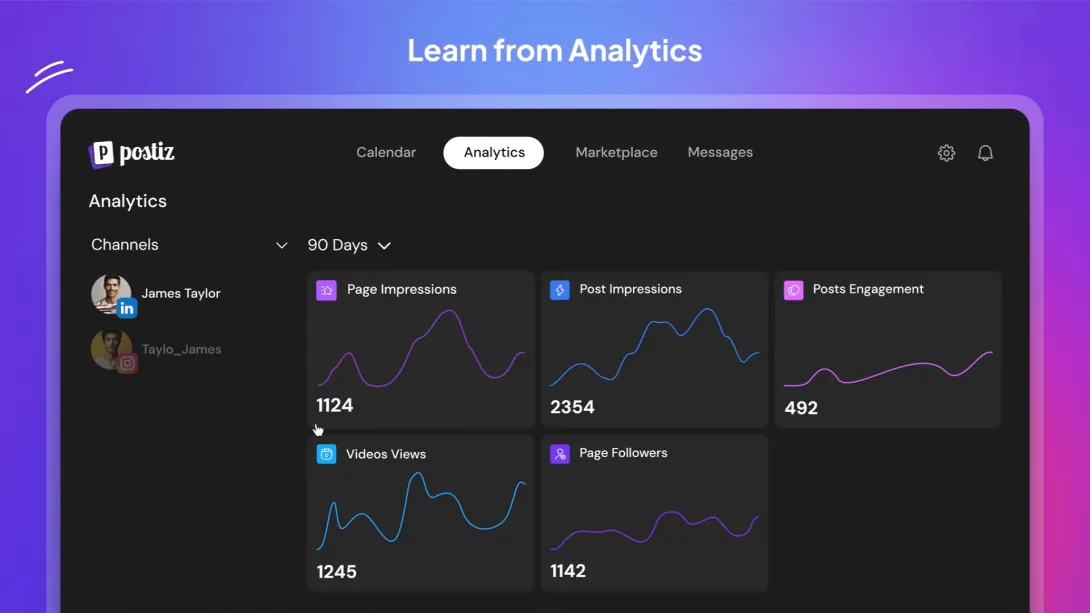
Track engagement metrics across Facebook and Instagram

Our analytics dashboard provides community leaders with actionable insights about their social media performance across Facebook Pages and Instagram.

Metrics Displayed

  • Page Impressions — How many times content was seen
  • Post Engagement — Likes, comments, shares, and clicks
  • Follower Growth — Net new followers over time
  • Attribution Data — Which posts drive the most engagement

Permissions Used

  • read_insights — Access aggregated analytics for connected Facebook Pages
  • pages_read_engagement — Read engagement data (reactions, comments, shares) on Page posts
  • attribution_read — Access attribution data to understand content performance drivers

Analytics data is read-only and displayed only to authenticated group administrators within our platform. No data is stored beyond caching for display purposes.

Next: Content Creation →

Social Media Scheduling

Social Media Scheduling — Postiz social media integration

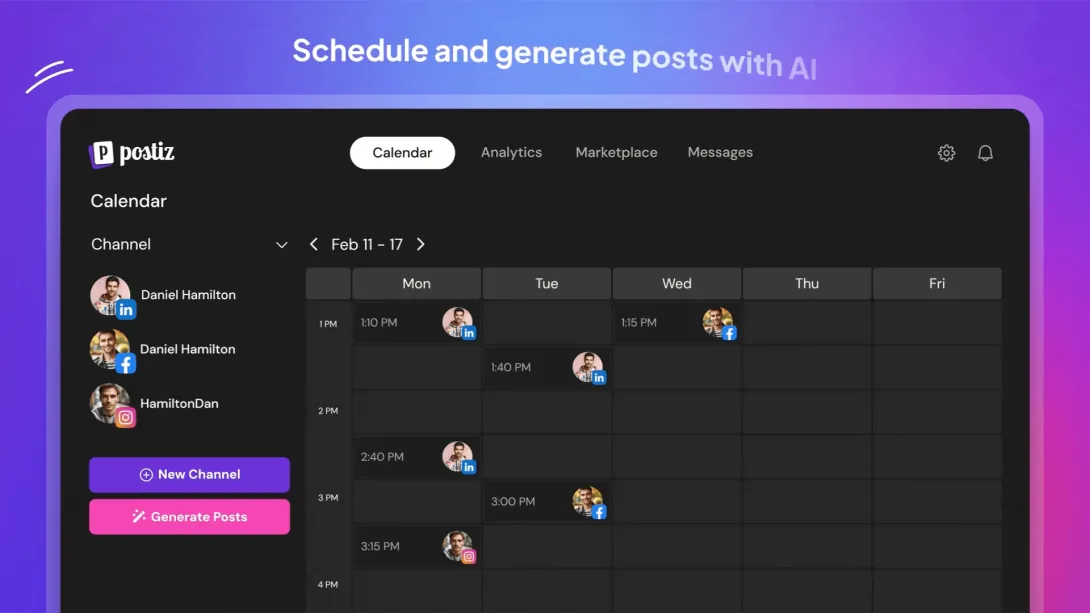
Schedule posts to Facebook Pages and Instagram from one dashboard

Our integrated social media scheduling tool lets community leaders plan and publish content across Facebook Pages and Instagram from a single calendar interface.

How It Works

Members with publishing privileges can:

  • Create posts with text, images, and links
  • Schedule publication times across multiple channels
  • Preview how posts will appear on each platform
  • Manage a content calendar with drag-and-drop rescheduling

Permissions Used

  • pages_manage_posts — Publish and schedule posts to connected Facebook Pages
  • instagram_content_publish — Publish content to connected Instagram Business accounts
  • pages_read_engagement — Read page metadata to display connected channels

All publishing actions are initiated by authenticated group administrators through our platform. No automated posting occurs without explicit user action.

Next: Analytics →

Group Email

Everything you need to know about using group email on Factory — from receiving your first message to managing a mailing list with advanced moderation, privacy controls, and AI-powered tools. The sections below adapt to your role: you'll see the guides that are relevant to you.

What is group email?

Every group on Factory has its own email address. Send a message to it, and everyone in the group receives it. Reply to a group message, and your reply goes back to the group. No app to install, no new interface to learn — it works with whatever email client you already use.

Group email addresses follow this pattern: {group-slug}[email protected]

What to expect as a member

  • You'll receive group emails in your regular inbox
  • Every message has a [GroupName] subject tag so you can filter easily
  • You can reply to any message — your reply goes to the entire group (unless the group uses reply-to-sender mode)
  • You can unsubscribe or change your delivery preferences anytime

Delivery options

OptionWhat happensEmail command
Every emailGet each message as it's sent (default)nodigest
Daily digestOne summary per daydigest
Weekly digestOne summary per weekdigest weekly
MutedStay a member but pause emails temporarilymute

To change your preference, send the command to the group's +cmd address (see the Member Commands tab for details).

Posting via the web

Visit your group page and click Post Message. Write your message with formatting (bold, links, etc.) and it will be delivered to all members just like an email would. The same delivery rules apply — members on digest will see it in their next digest.

Email archive

Every group keeps a searchable archive of all messages. Browse by date, search by keyword, or view full conversation threads. The archive is accessible from your group page.

Want to read more?

3 more sections available with a free account: Member Commands, Manager Tools, Advanced Reference

Create a free account